Custom#27Studio
Thermoform Mold
Printable mesh plus male and female molds to heat-form puffy ornaments
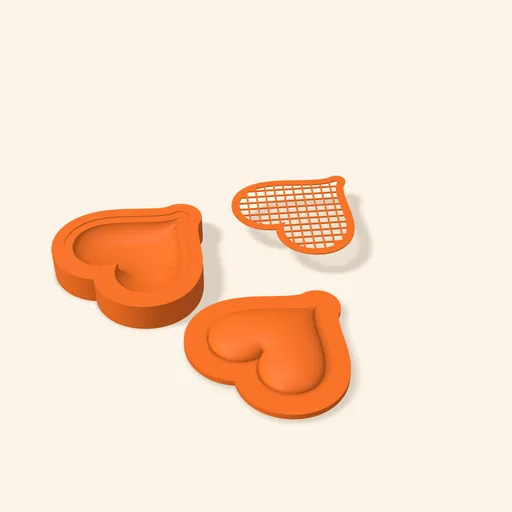
Turns a silhouette into a flat mesh you heat and press between two molds to build a hollow two-half ornament.
Designing and previewing in 3D is free for every tool. A plan is only needed to download the ones marked Pro or Studio. See plans
Step by step
How it works
Step by step, to the finished piece
Upload a silhouette or a logo; inner details come out in relief.
Choose the mesh pattern, the depth in mm and the press shape (dome, cone or plateau).
Print the mesh twice, the molds and, depending on the join you choose, the pins or the magnets.
Heat the mesh, lay it on the female mold, press with the male until it cools, and join the two halves with the pins.
What to watch out for
- Heat only the net, not the frame: the frame keeps the outline and holds the holes.
- If your shape isn't symmetrical, enable the back-half molds; otherwise the two halves won't line up.
What you need
Materials and tools
- FDM 3D printer
- PLA filament for the mesh and PETG for the molds
- Hair dryer, heat gun or hot water
- Gloves or tweezers for the hot mesh, and a lighter or soldering iron to melt the pin ends
Print settings
| Mesh | Flat, 2 copies | One per half. The frame faces up and the net lies flush on the bed. |
|---|---|---|
| Layer height | 0.2 mm | The 0.6 mm net is 3 layers: no need for finer. |
| Molds | Opening up, no supports | The male dome and the female bowl have no overhangs. |
| Mold infill | 20 to 30 % | They only take hand pressure. |
When you use it
- Heat the net slowly and evenly until it softens (PLA: 60 to 80 °C); when it starts to shine or sag on its own, it's ready.
- Lay the hot mesh on the female mold with the frame inside the recess and press with the flipped male until it stops giving.
- Let it cool before separating: taken out warm, the half springs back a little.
- To join the halves, push a piece of filament through each pair of holes, trim flush and melt the ends so they can't slip out.
Common problems
- The net tears when pressed
- It's stretched too far: lower the depth (the panel warns past the shape's half-width), pick a smaller opening or a thicker strand.
- The mesh doesn't take the shape
- Not enough heat or too much strand. Heat longer and evenly, or reduce the strand width; with the plateau, a wider angle helps.
- The two halves don't line up
- A non-symmetrical shape needs the mirrored back-half molds. With pins, flip the second mesh over the shape's vertical axis.
- The pin won't go in or is loose
- The hole is 2 mm for 1.75 filament. If it won't go in, run a 2 mm drill through; if loose, melt one end before inserting.
Custom: other tools
All tools
Thermoform Mold
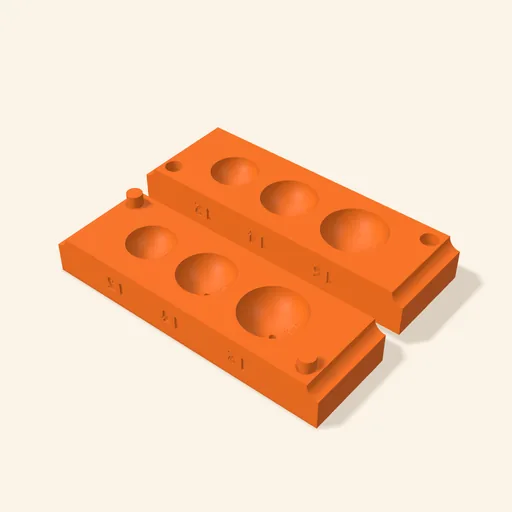
Turns a silhouette into a flat mesh you heat and press between two molds to build a hollow two-half ornament.
Open in the designer